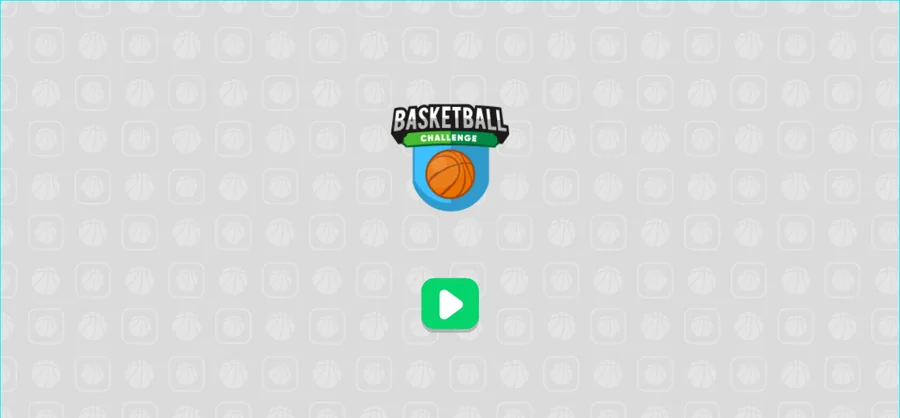
Basketball Challenge is served inside the external game player, and all three frames of this observation show the same thing: the game logo and a green play button, with no score, clock or level number. The detail lives in the build behind that button, which opens in Levels mode with three balls in hand.
LevelLoop wrote this play brief. The playable file, artwork, and runtime are delivered by an external game service. LevelLoop keeps supporting rights records for the catalog on file.
ShelfSports
What the page shows
The logo card is the whole screen
Basketball Challenge is served inside the external game player, and every frame of this observation shows the same card: the BASKETBALL CHALLENGE logo — a blue shield with an orange basketball — above a single green play button.
Observed 2026-10-04 in Chrome at 1280×800: all three frames of the session show the Basketball Challenge logo card and its green play button, with no counters on it.
No counters on the card
There is no score, no clock, no level number and no ball count printed on this card, and the card was still on screen in the last frame of the session. Everything below this section therefore comes from the build package that the button loads rather than from the screen.
What the build ships
Levels, endless and a generator
A run starts in Levels mode: the build initialises its GameplayMode variable to Levels, and the level list is what the play button opens into. Two other modes sit beside it — BtnEndless with ResetEndless for an endless run, and a generator built from Generator, BtnGenerate, GetRandomLevel and TextInputJSON, which reads a level in as JSON instead of loading one from the list.
The backboard is placed, then moved
The board is not fixed in place. The build carries a BackBoard Move event with MoveBoard, MoveSteps and MoveTime beside a starting position pair, BackBoardStartX and BackBoardStartY, so the hoop end is positioned first and animated afterwards.
What the level screens print
The level screens have their own text objects. The heading is templated as Level ?, the objective line shipped with the game reads Score a basket 5 times., and the progress beside it reads 0/5, with 00 and 0 as the counter fields. A cleared level is announced as a challenge name followed by COMPLETED!, a failed one as Failed!, and a retry as Let's try again!. The build also carries x3 and +2 as its own text objects.
The credit lines are just as specific: v1.0.0 on screen, with Created by: DoonDookStudio (May 2022) and Designed by DoonDookStudio in the about panel, which opens and closes through BtnAbout, BtnClose and CloseAboutPopup.
The values a run starts from
Three balls and a power of 200000
Three starting values shape a first run. The ball counter UIBalls begins at 3, the throw power ThrowPower is set to 200000, and the colour tween that marks a change takes 0.3. Music volume starts at -10.
What starts at zero
Most of the run counters begin empty and are filled as you play: Score, LostScores, ScoreTimes, Combo, ThrownBalls, LevelHasTimer and TargetNum are all initialised to 0. The two values that are kept between sessions are BestScore and HighestLevel.
Two further counters exist for a stricter reading of a level: No Touch Hoop and WithoutTouchHoopScoreTimes record how many baskets were scored without the ball touching the hoop first. The build runs on Box2D (box2d.wasm.js) and accepts both keyboard and touch input.
Basketball Challenge FAQ
Modes, levels and starting values
These answers stay with what the page shows and what the build initialises: one logo card, a level list, an endless mode and a generator.
What does the Basketball Challenge page show?
The game logo card — a blue shield with an orange basketball — and one green play button inside the external game player frame. No score, clock or level number is printed on it.
What is the first level objective?
The objective line shipped with the build reads Score a basket 5 times., and the progress beside it starts at 0/5.
How many balls does a run start with?
The build initialises its UIBalls counter to 3, and ThrowPower to 200000, with a colour tween of 0.3.
Which modes does the build include?
Levels, which GameplayMode starts in, plus an endless mode (BtnEndless with ResetEndless) and a level generator (Generator, BtnGenerate, GetRandomLevel, TextInputJSON).
Does the backboard move?
Yes. The build ships a BackBoard Move event with MoveBoard, MoveSteps and MoveTime, plus a starting position pair named BackBoardStartX and BackBoardStartY, so the board is positioned and then moved.
Who made Basketball Challenge?
The build prints v1.0.0 on screen and carries the credit Created by: DoonDookStudio (May 2022).